Cashier (Caja)
Opening the register, collecting payment, credit sales with signature, returns and X/Z closings.
The cashier collects payments: receives the payment, gives change, prints the receipt and closes their register at the end of the shift. Caja Gerente (Cashier Manager) also handles returns, voids, refunds and closings.
B.1 Opening the register and finding what to collect
- Go to Ventas (Sales) → «Caja» (Cashier).
- If you don't have an open register, open it by entering the opening cash.
- Scan or type the quotation, the invoice or the customer in the search box, or press «Cobrar» (Collect) in the list of quotations to collect.
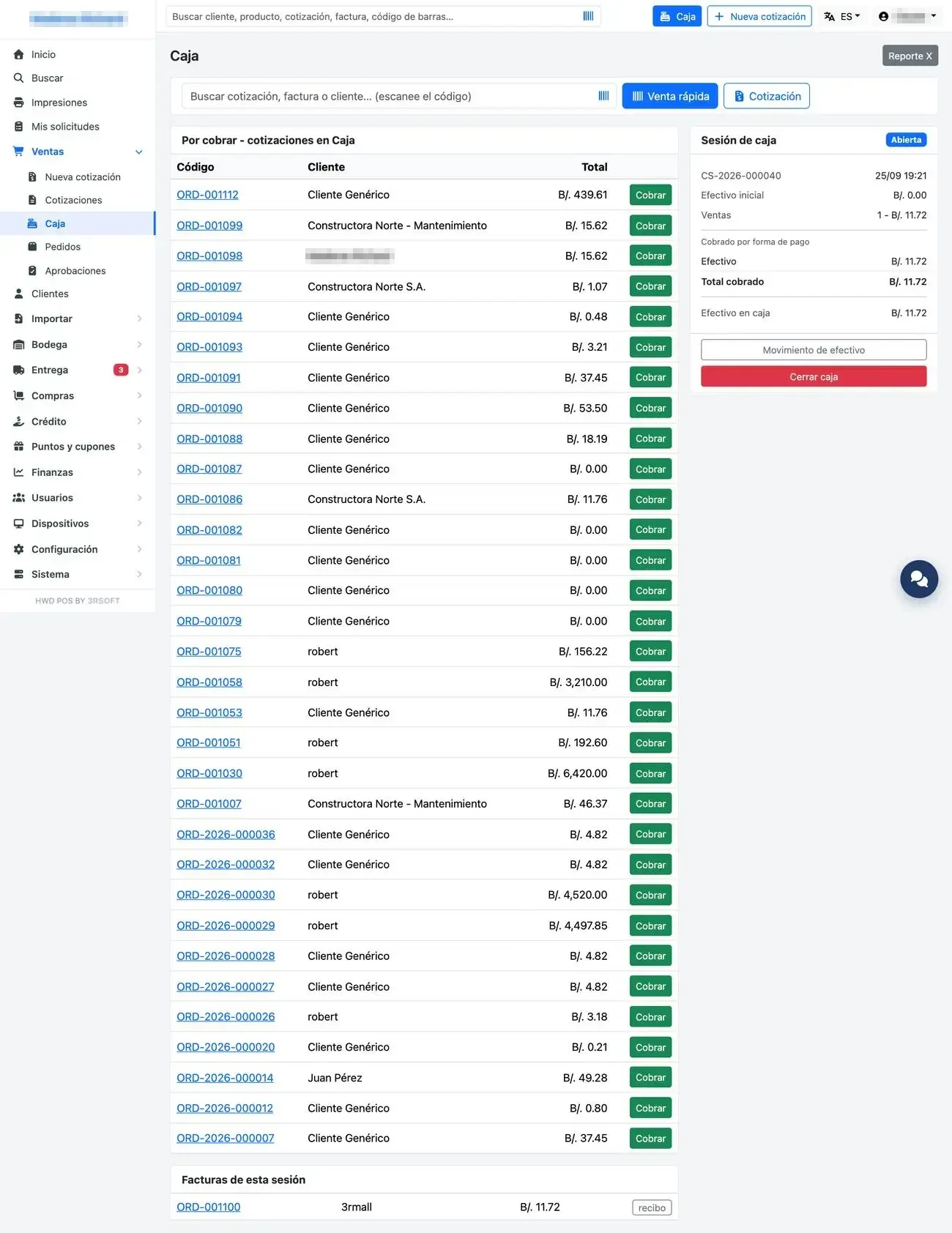
Cashier station: to collect, open session, quick sale.
Yesterday's register
If a register from a previous day was left open, the system asks you to close it before continuing. With the system locked by license, the shift can still be closed.
B.2 Collecting payment
- On the payment screen, review the products, warnings and total.
- Choose the payment method: cash (quick amount buttons), card, Yappy, transfer, check, or mixed payment in «Otros métodos» (Other methods).
- If applicable, open «Descuentos» (Discounts) for the coupon or the customer's credit balance.
- Tick «Entregado en el mostrador» (Delivered at the counter) if the customer takes the goods now: that way the order does not enter the Entrega (Delivery) queue.
- Tick «Factura fiscal» (Fiscal invoice) if the customer asks for one. You are only asked for details if any are missing from their record.
- Press «Cobrar». A confirmation window appears with the total, the payment method and the change: review it and confirm. The button is enabled half a second later, on purpose.
- Choose the printer in the print window.
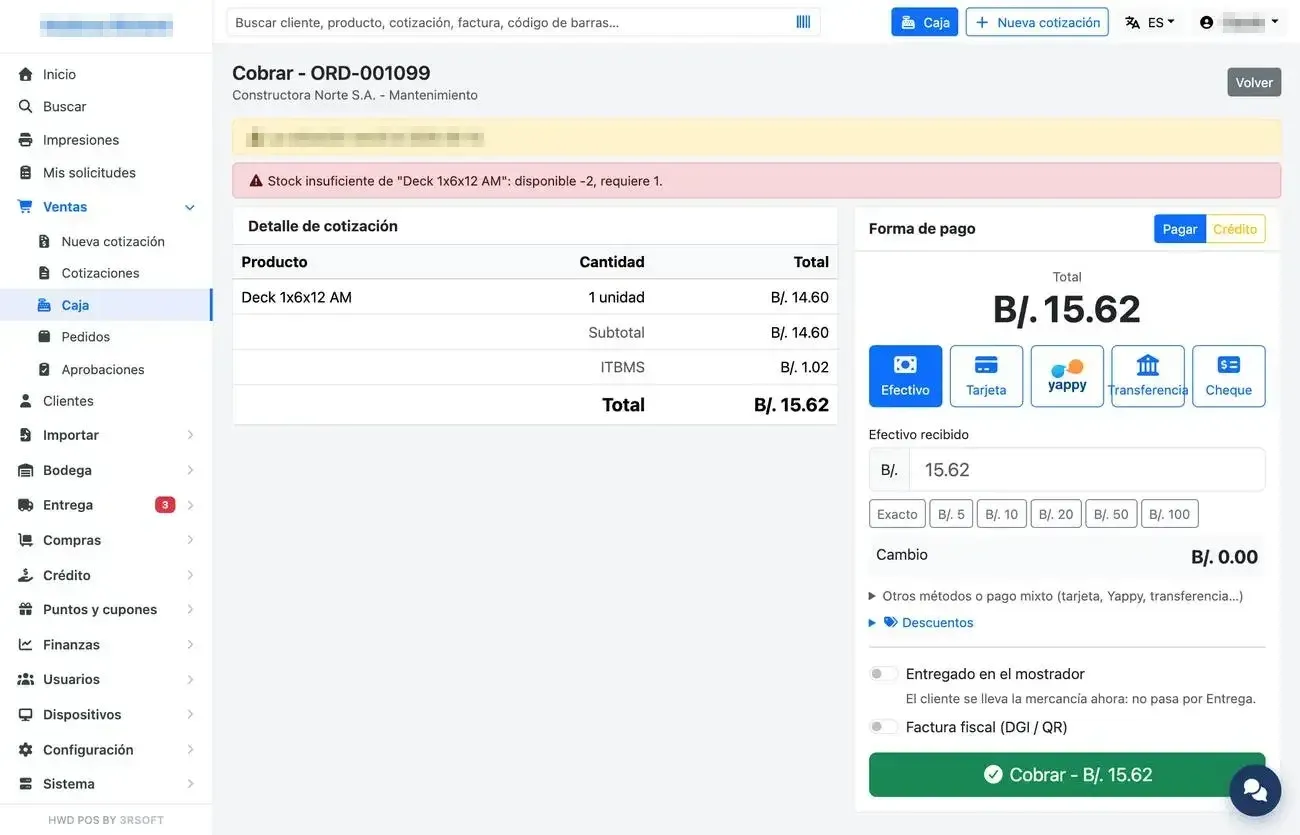
Payment screen: detail, payment method and options.
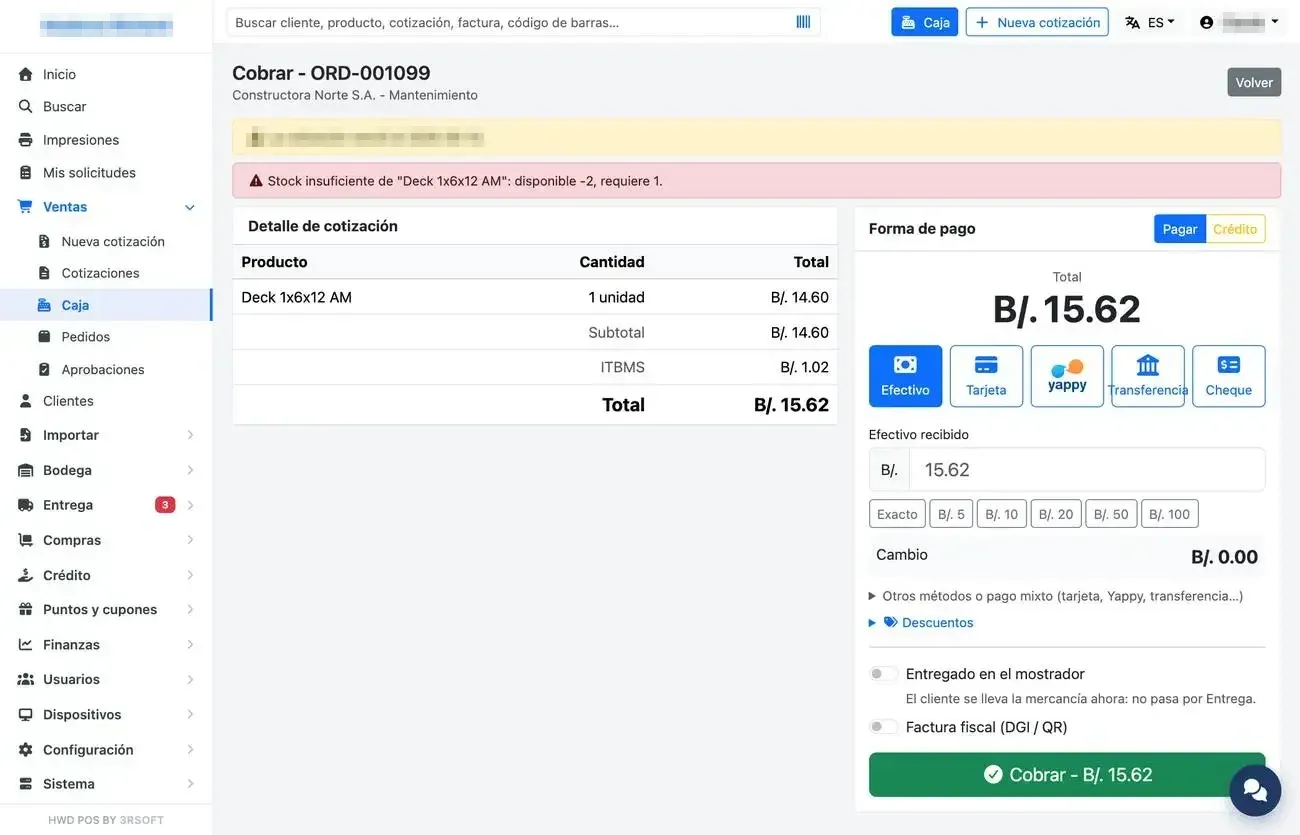
Confirmation window before moving the money.
Register blocks
The register does not collect a line priced 0.00, nor a quantity with decimals for a product that is only sold whole. The changed-price warning, on the other hand, is only informative.
B.3 Credit sale with signature on the tablet
To sell on credit, choose «Crédito» (Credit) above the payment method. If the customer requires evidence, the register asks for a photo, a signature or both.
- Press «Solicitar firma por QR» (Request signature by QR): a code appears on the register screen.
- On the tablet, on the sign-in screen, press «Firmar crédito» (Sign credit) and scan the code (there is no need to sign in to the system). The «Modo firma» (Signature mode) screen with a handheld scanner can also be used. How to prepare the tablet: HWD POS mobile.
- The customer reviews the document (they can zoom in), any photos needed are taken, they sign and write their name under the signature. They press «Confirmar firma» (Confirm signature).
- At the register the code blurs with a green check mark and the label says «firmado» (signed). The code is single-use and expires after 5 minutes: if it expires, request another one.
- Finish the payment. The signature, the photos and the name are stored as attachments of the credit.
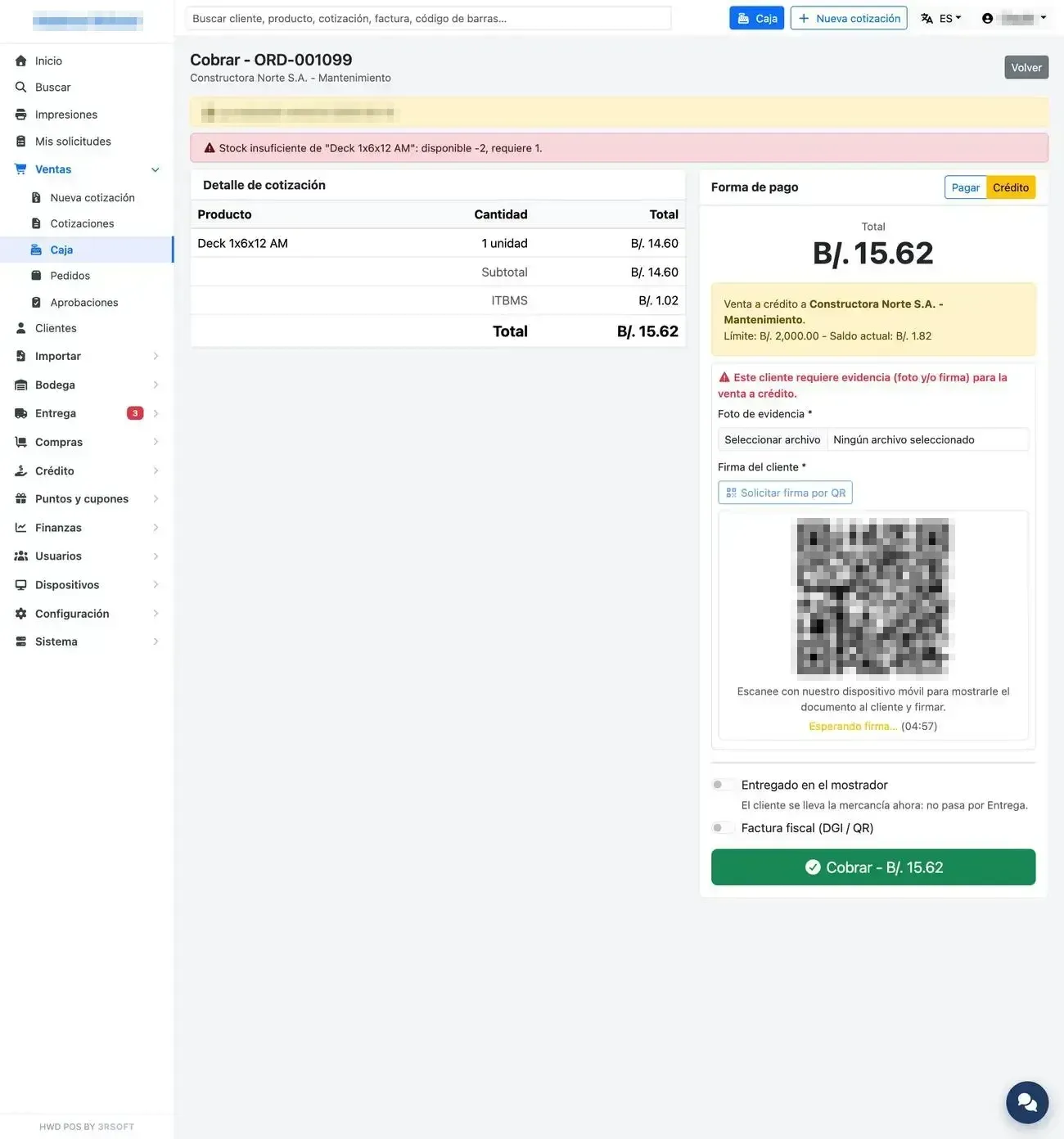
Credit payment: QR code waiting for the customer's signature.
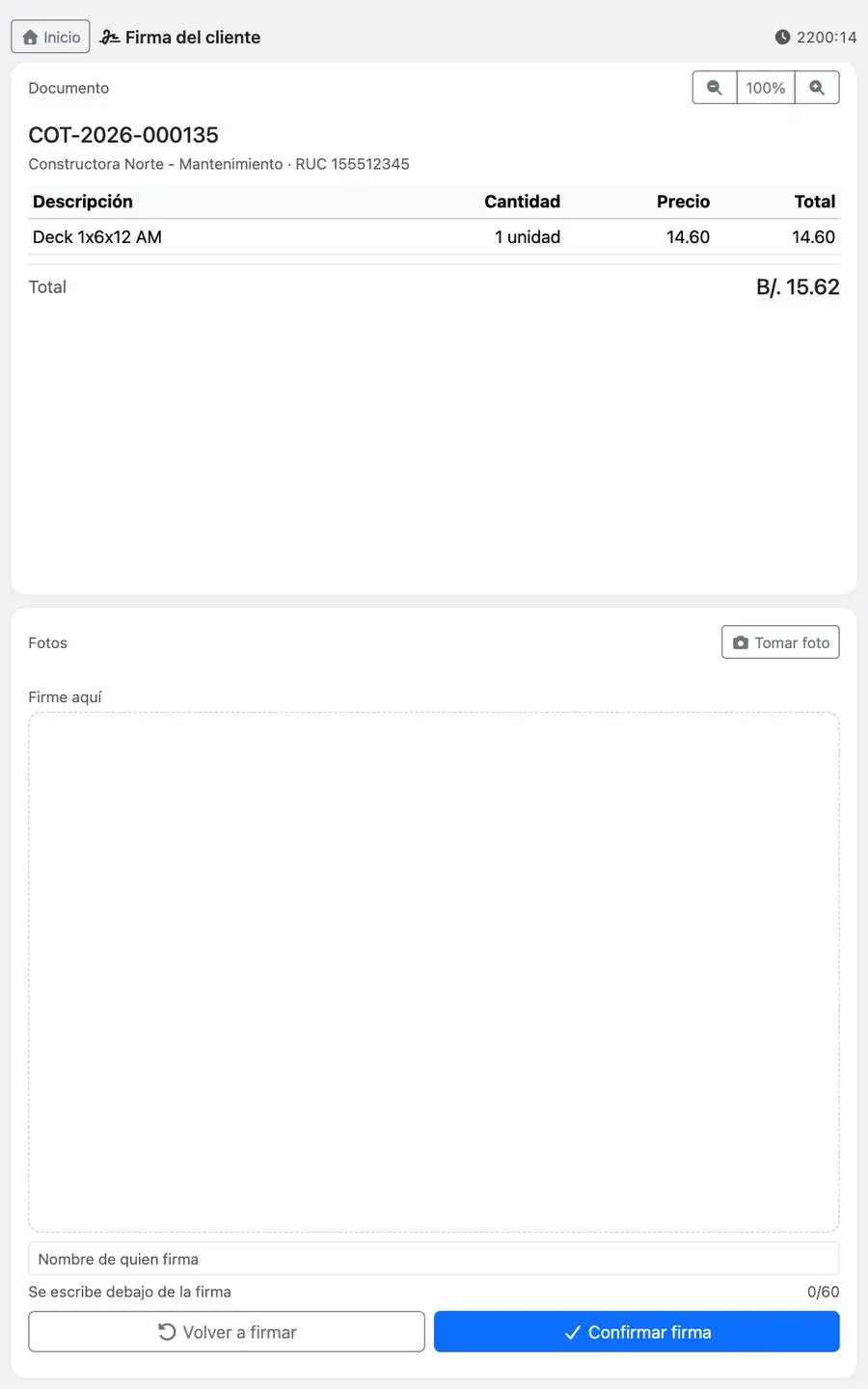
The tablet with the document, the photos and the signature box with the name.
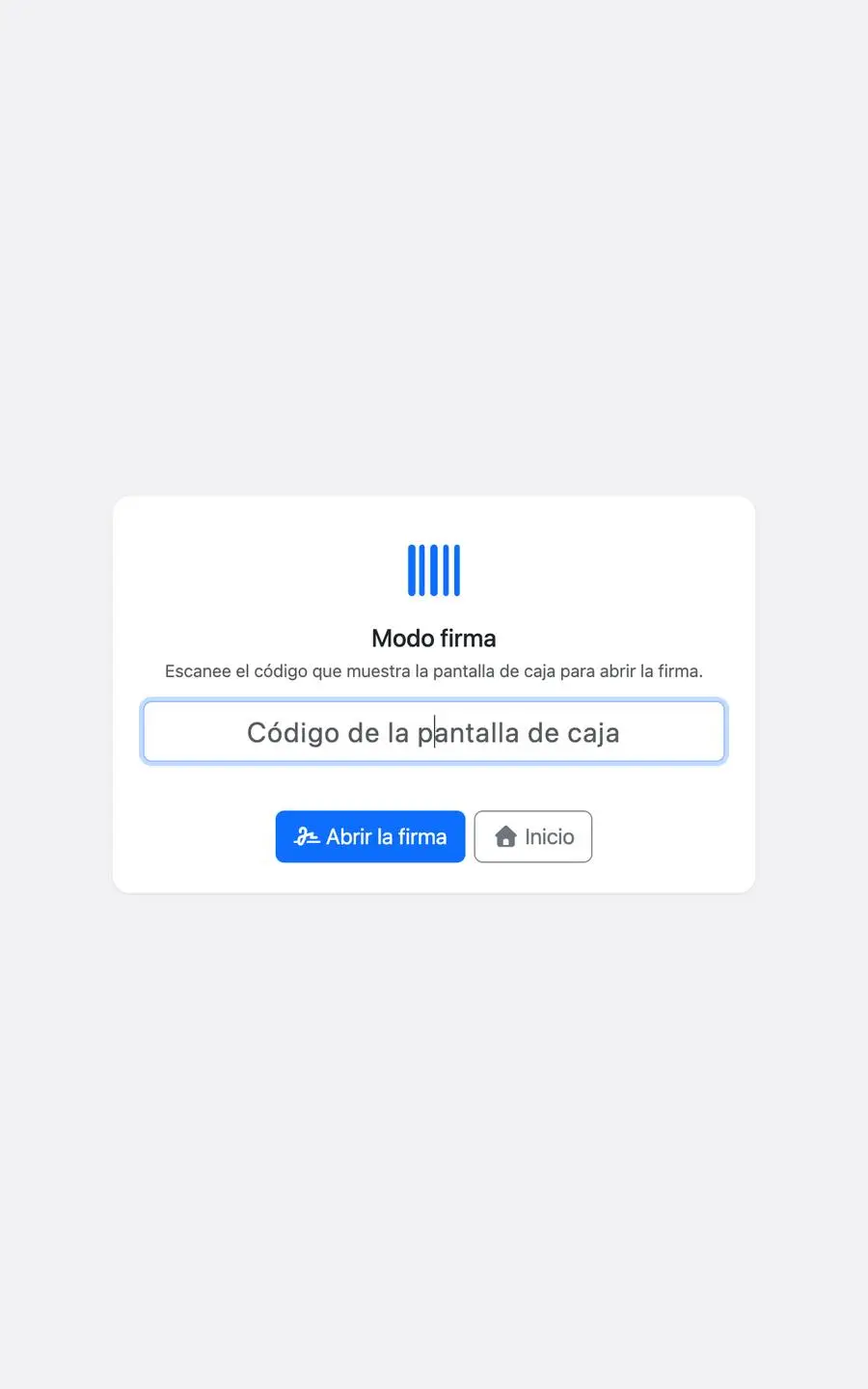
Signature mode for a fixed station with a handheld scanner.
B.4 Quick sale and customer display
«Venta rápida» (Quick sale) collects in one go by scanning, without a prior quotation. Scanning the same item twice adds one; two different models go on separate lines.
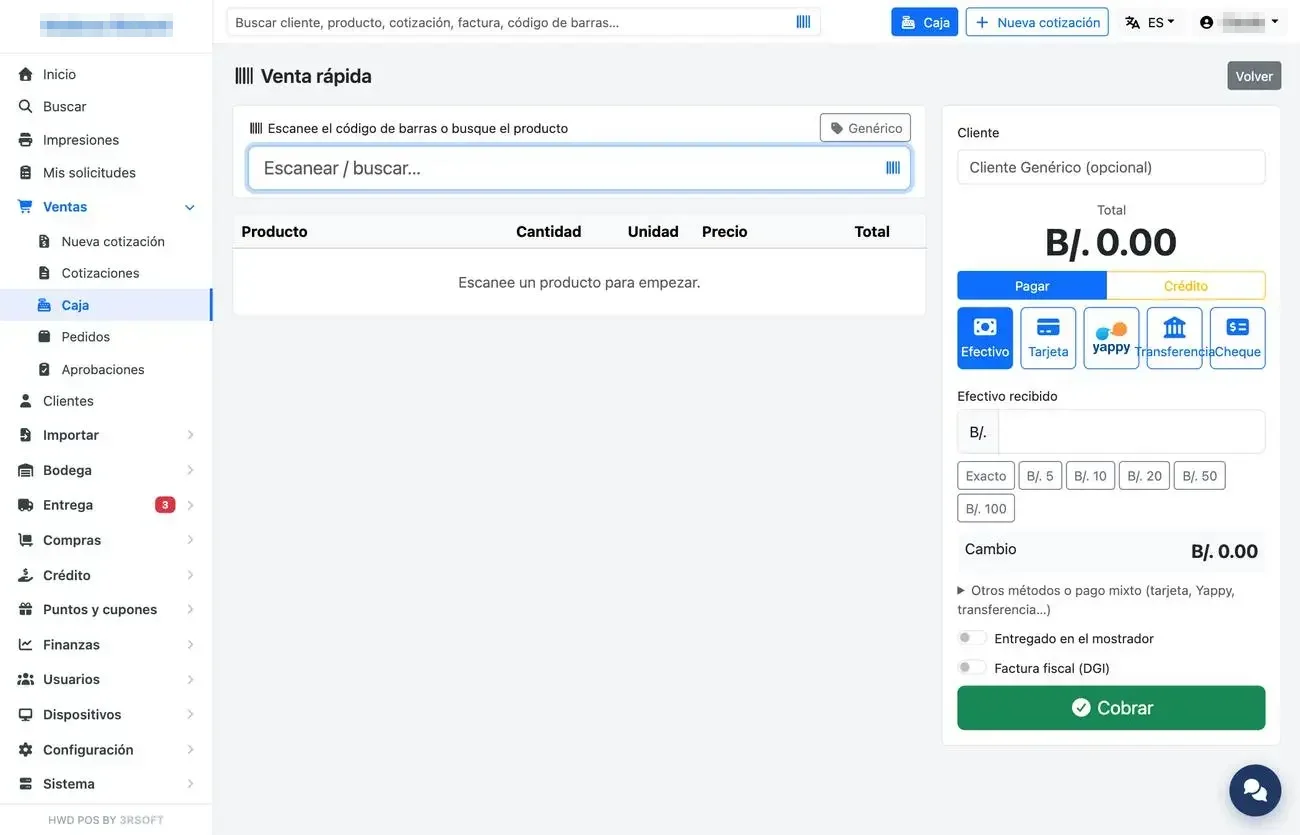
Quick sale.
The customer display is a second screen facing the customer that shows the welcome message and the detail of what is being charged.
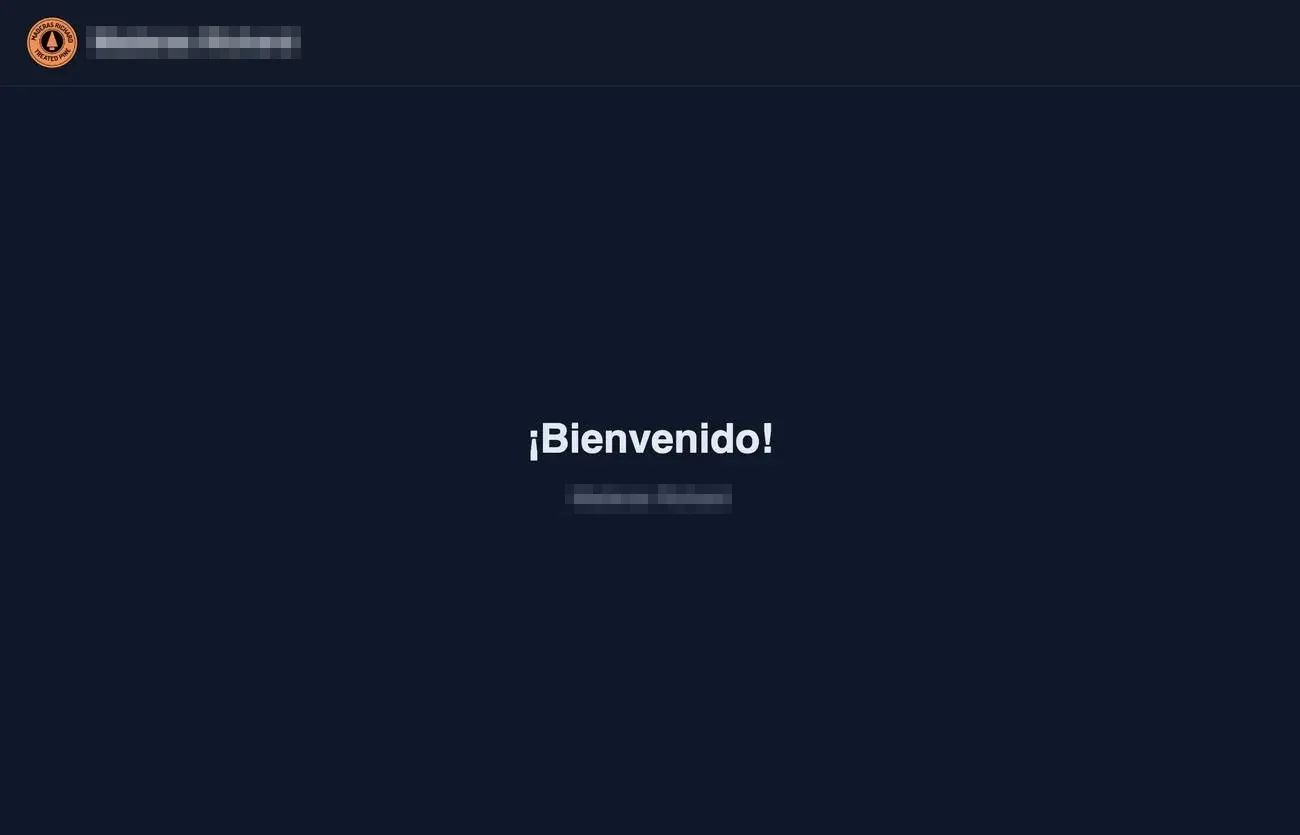
Customer display.
B.5 Returns, voids and refunds (Caja Gerente)
| Operation | What it does |
|---|---|
| Devolución (Return) | The quantity is entered per line; the goods go back to the warehouse and are refunded. The amount to refund is shown live before confirming. |
| Reembolso de dinero (Money refund) | Returns money without putting goods back in stock (from the operation view). |
| Anulación (Void) | Voids the entire invoice. In a credit sale, whatever was already paid goes back to the customer as a credit balance, never in cash. |
| Credit sale | Only refunded as a credit balance: the customer did not hand over cash. |
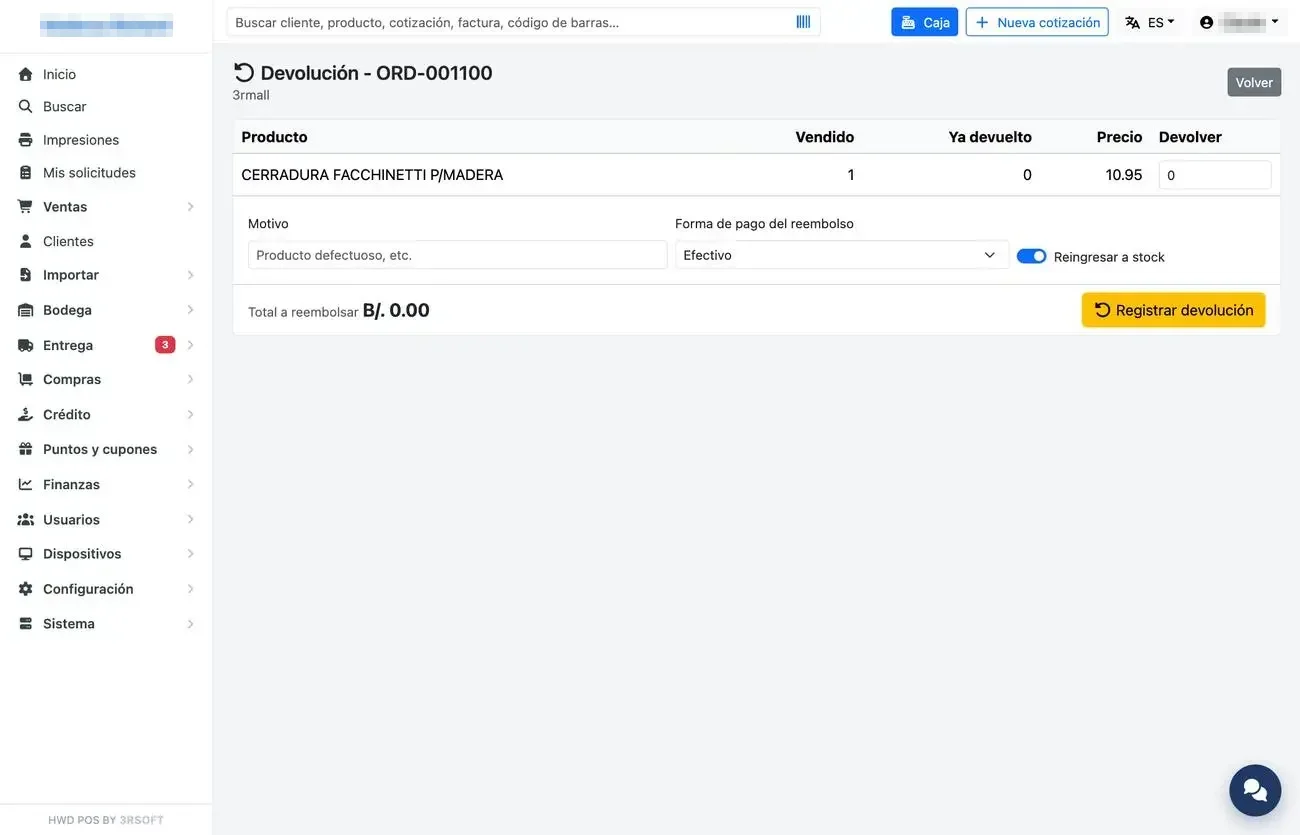
Return on an invoice.
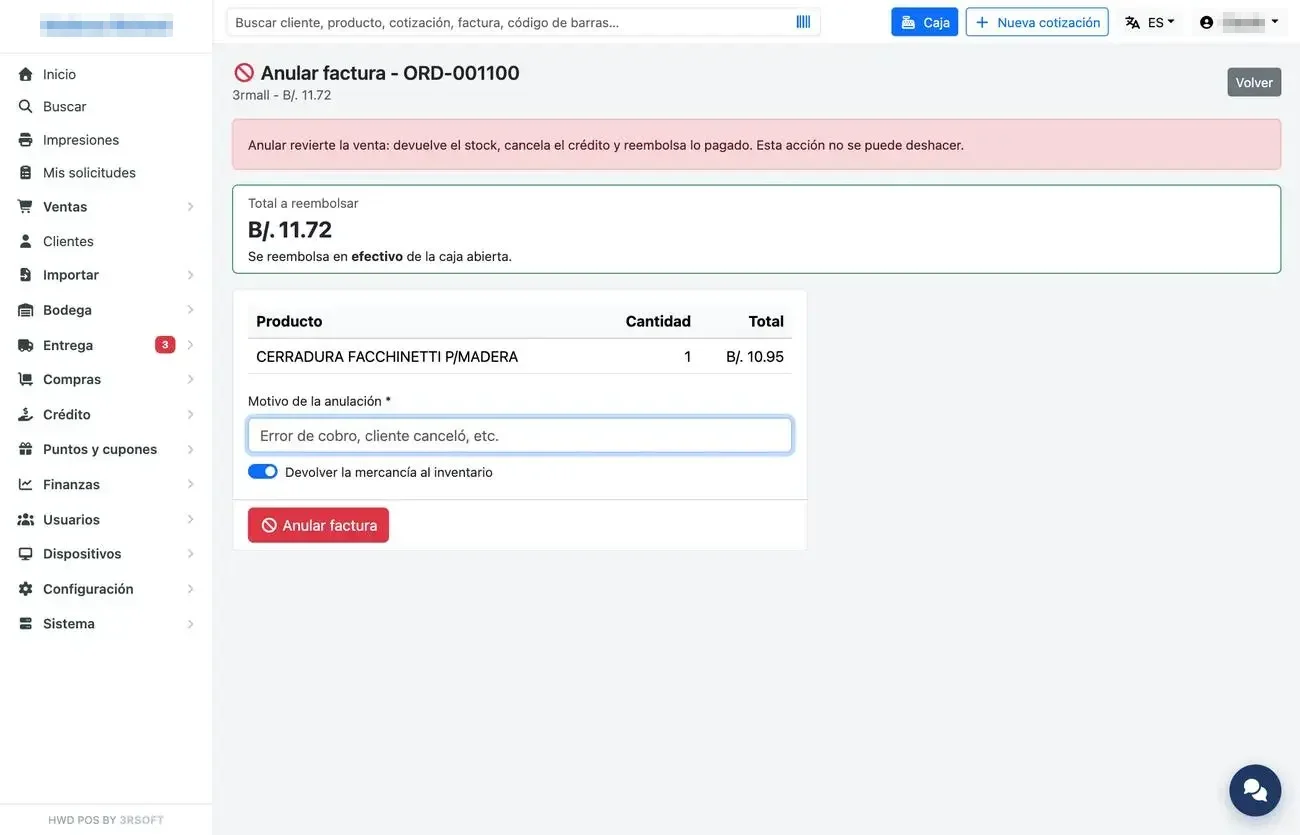
Voiding an invoice, with what will be refunded.
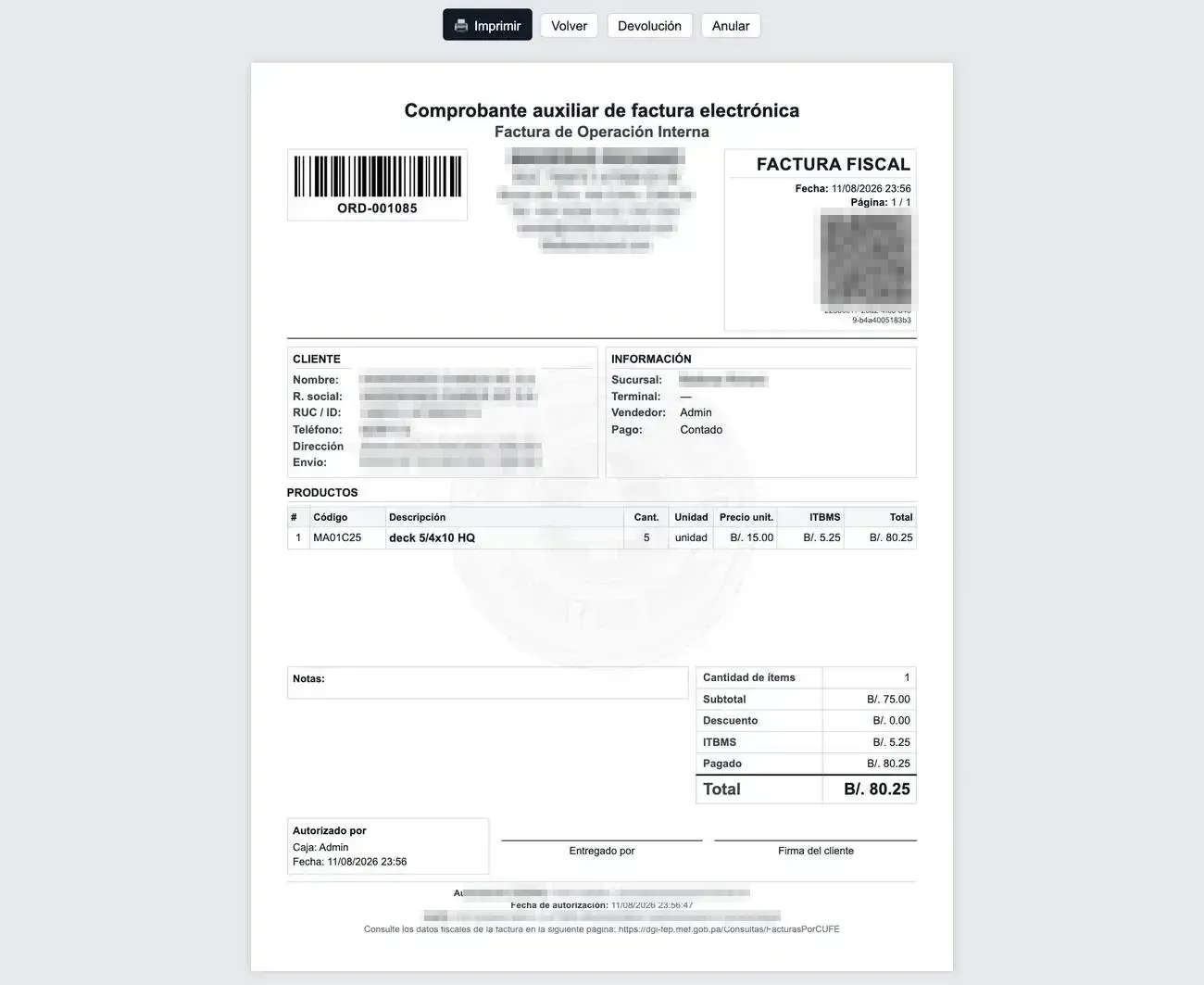
A4 receipt or fiscal invoice.
B.6 Cash movements and X and Z closings
«Movimiento de efectivo» (Cash movement) records money going into or out of the drawer. The X Report is a control cut without closing; «Cerrar caja» (Close register) makes the final closing (Z), which separates what was collected by each payment method, the credit and the expected cash.
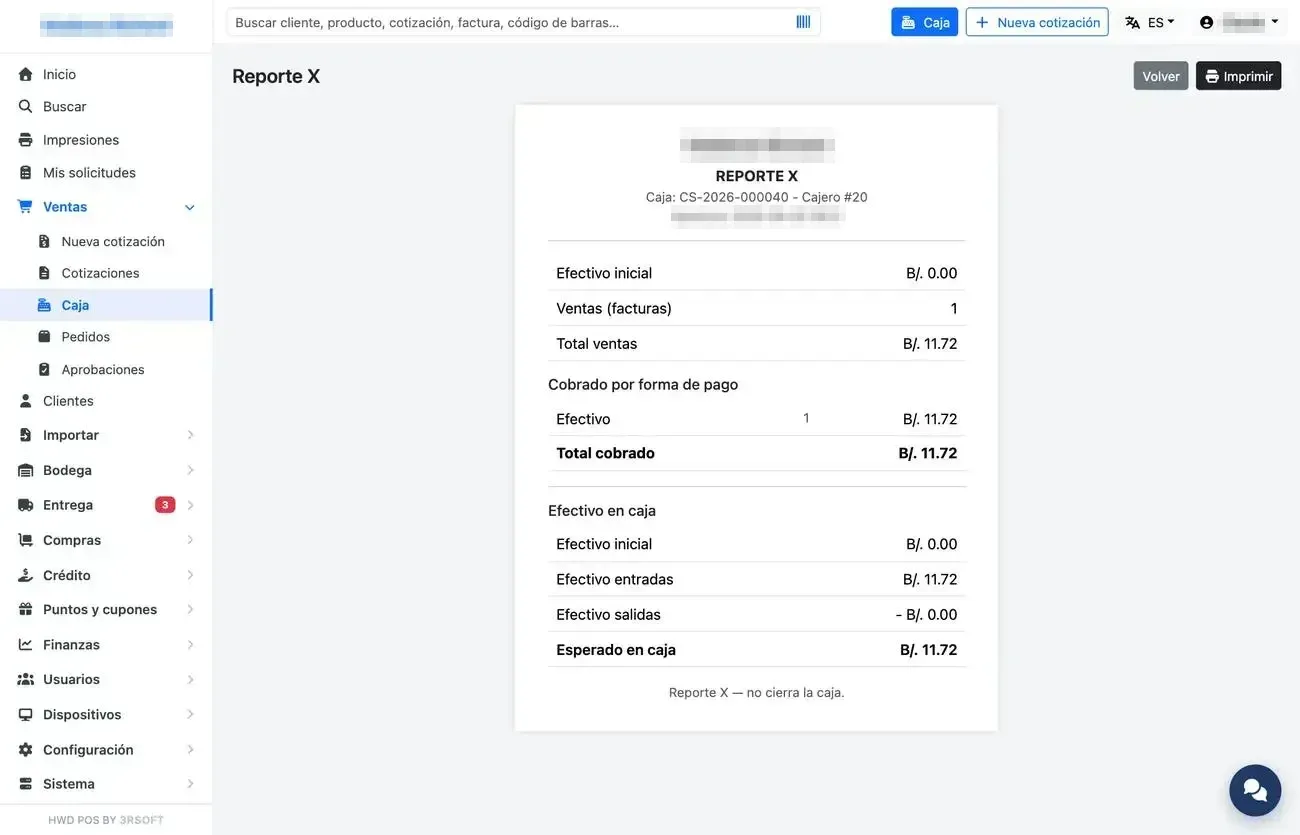
X Report.